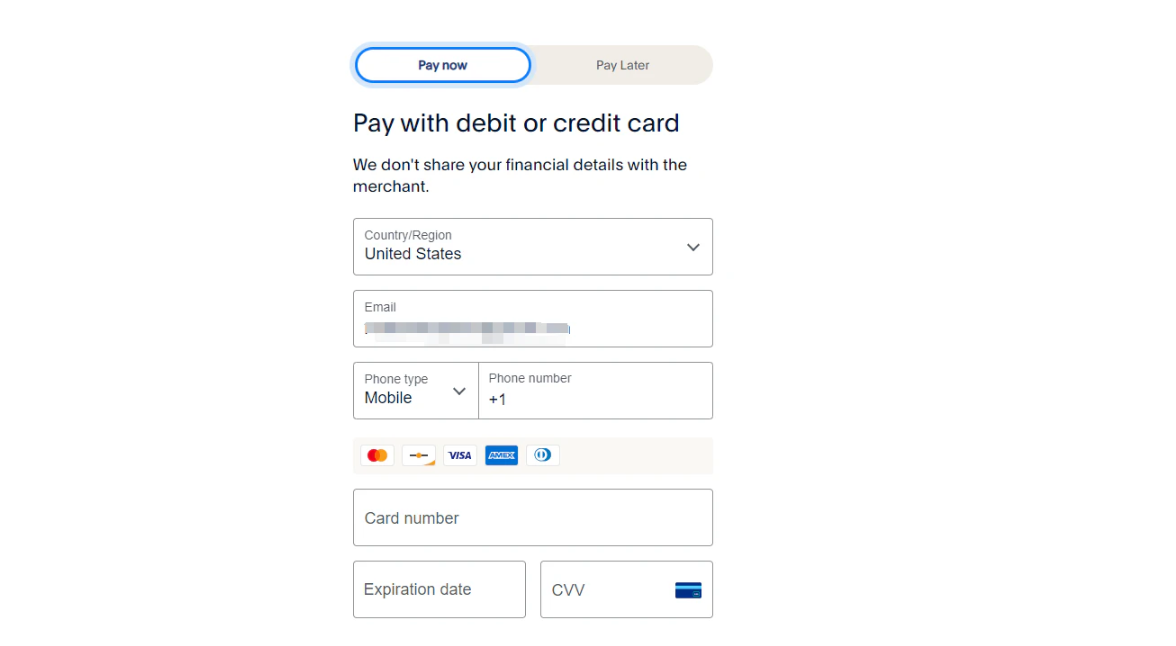
Payment
We've partnered with top payment providers to ensure your transaction is secure. Pay easily with Visa, Mastercard, Amex, Discover, PayPal, Shop Pay, and Google Pay.
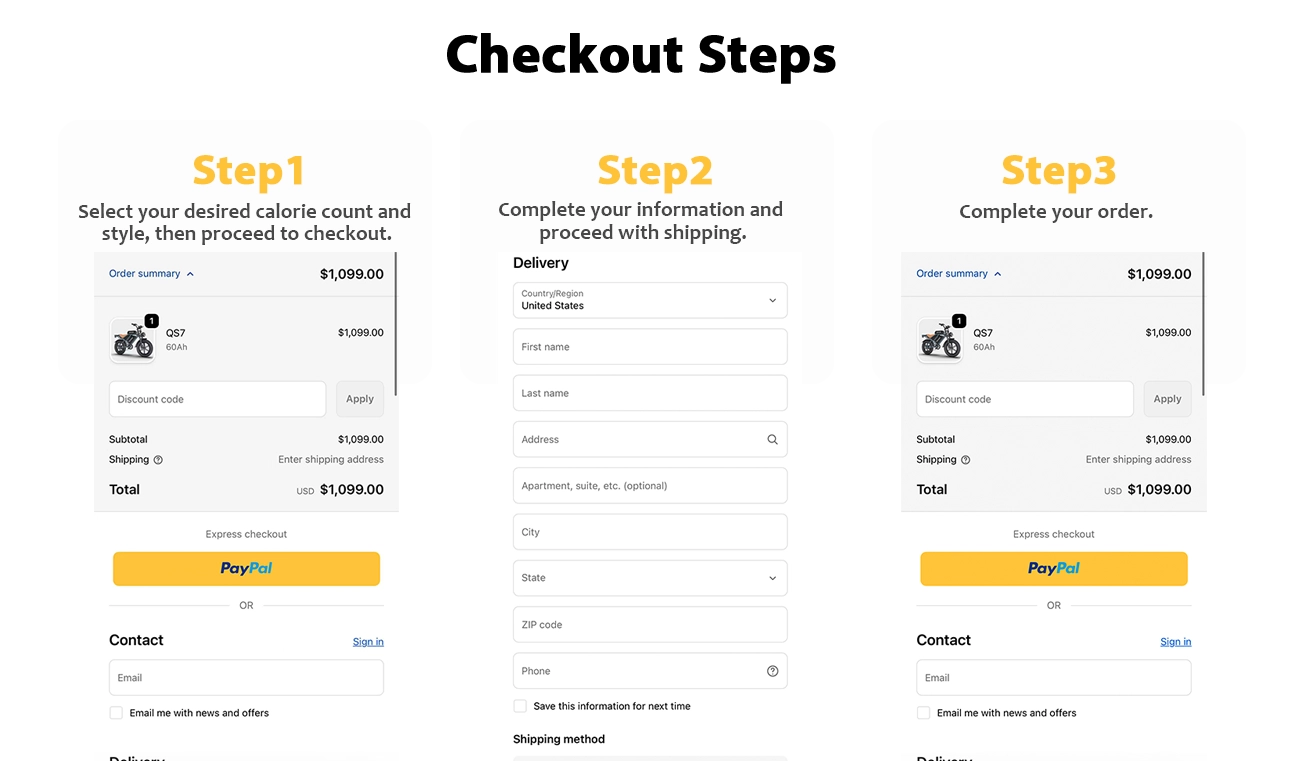
Checkout Steps
This is a guide on how to checkout, please follow only 3 steps below. If there's still remain questions please feel free to contact: support@deepowerbike.com.
• Choose Your Style & Check Out
Select your color and click "Buy with Shop Pay" or another payment option.
• Enter Details & Shipping
Add your email and address, or choose in-store pickup at our CA warehouse.
• Confirm & Pay Securely
Review your order, select a payment method, and click "Pay Now" to complete your purchase.
To ensure a smooth checkout experience, please be aware that our risk control system may occasionally decline credit card payments as a precaution against fraudulent transactions. We highly recommend informing your bank or credit card issuer in advance about your intended purchase to prevent any interruptions.
Should your payment be declined, we offer the following alternative methods to complete your order:
- Try an Alternative Card: Use a different credit or debit card from your wallet.
- Pay with PayPal: If you have a PayPal account, this is a secure and reliable payment option.
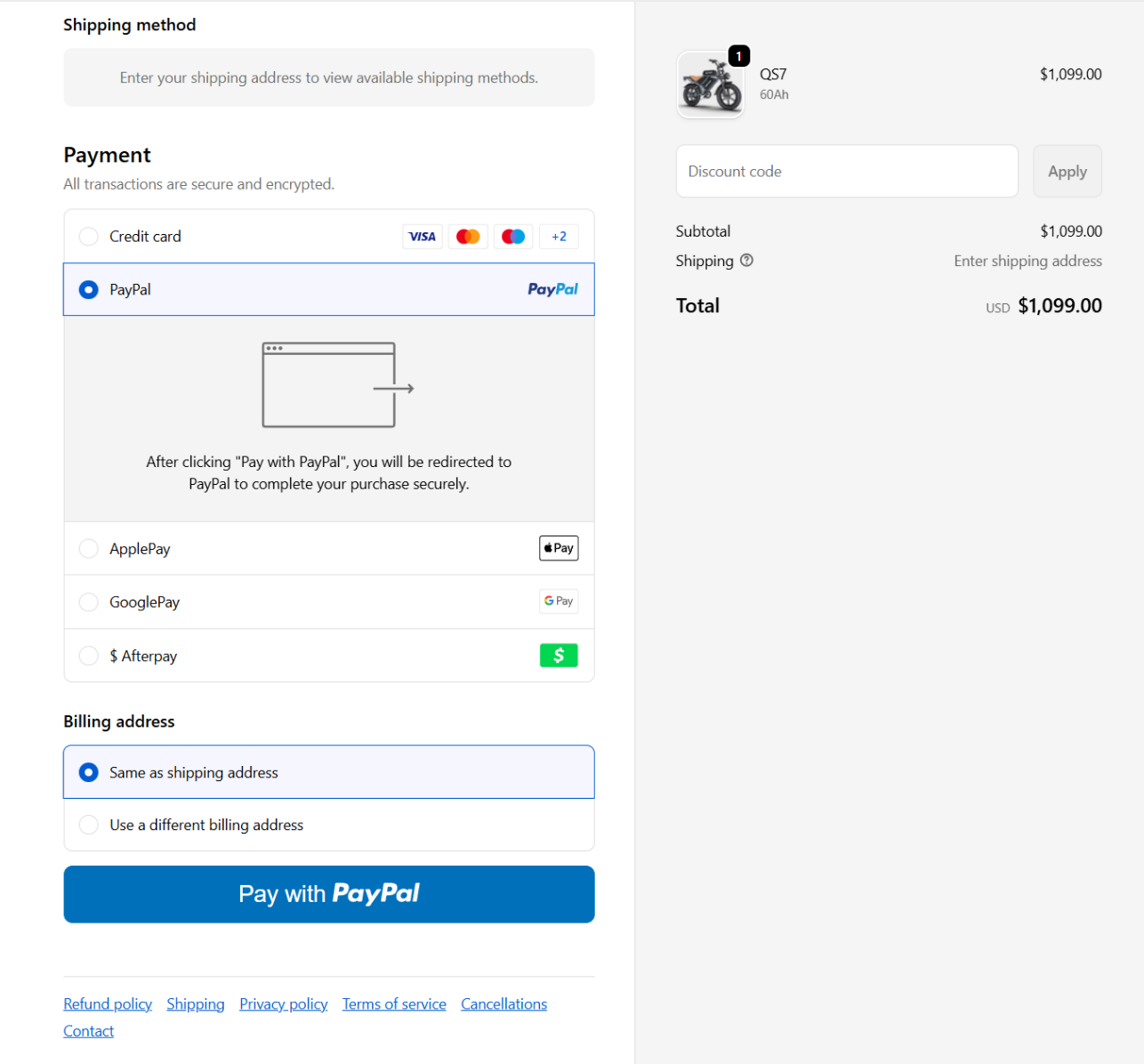
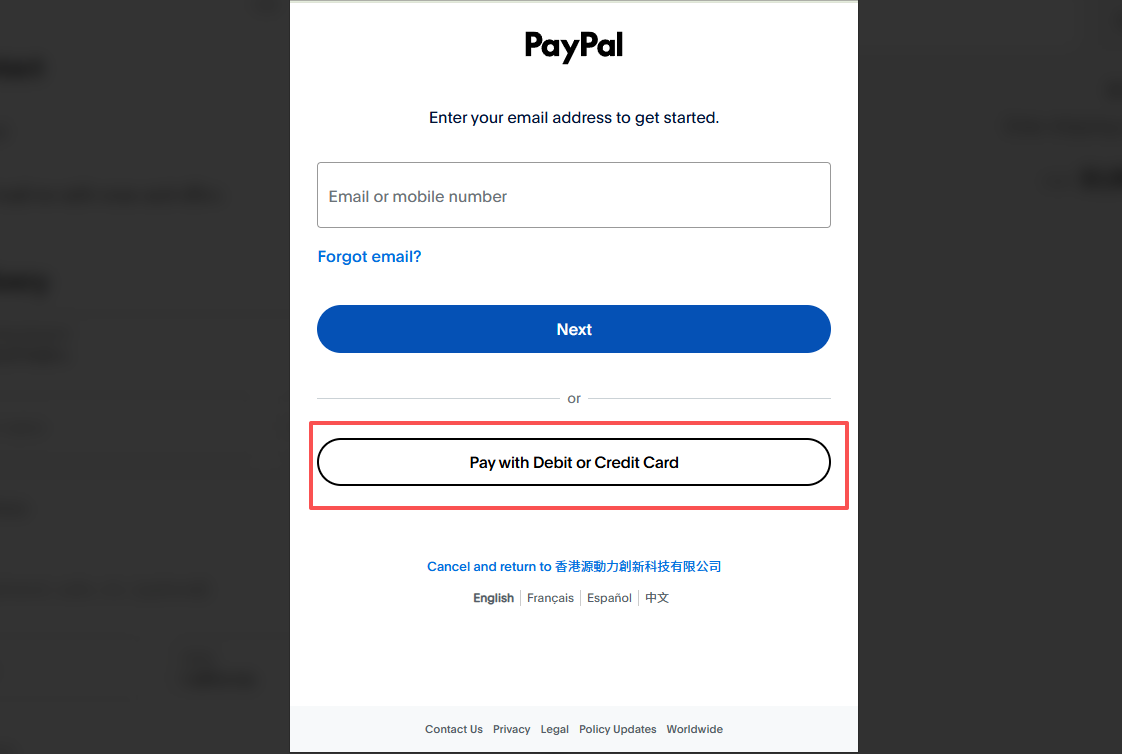
- Use PayPal's Guest Checkout: Even without an account, you can still pay via card through PayPal. Simply select "PayPal" at checkout and proceed. On the next page, look for the option to pay with a debit or credit card without needing to log in or create an account.
As following steps:
Step 1. Select PayPal (even if you don't have a PayPal account)
Step 2. Click on "Pay with Debit or Credit Card".
Step 3. Fill in your credit card info and complete your order.